Early or later.
Both on your terms.
Set two alarm times and choose the days of the week. You decide how early your day can begin.
 RiMo Alarm
Up early when air and weather look good.
Sleep a little longer when they don’t.
One alarm. Two possibilities.
RiMo screenshot data: Open-Meteo · CC BY 4.0. Air data: CAMS ENSEMBLE via Open-Meteo. Unmodified values captured on 30 September 2026.
A bike ride or a run before work: RiMo connects your alarm to the morning waiting outside.
Set two alarm times and choose the days of the week. You decide how early your day can begin.
Air quality, the chance of rain and, optionally, estimated road wetness all inform the decision.
When conditions are right, the early time applies. Otherwise, the later one does. You can override the choice for the next morning.
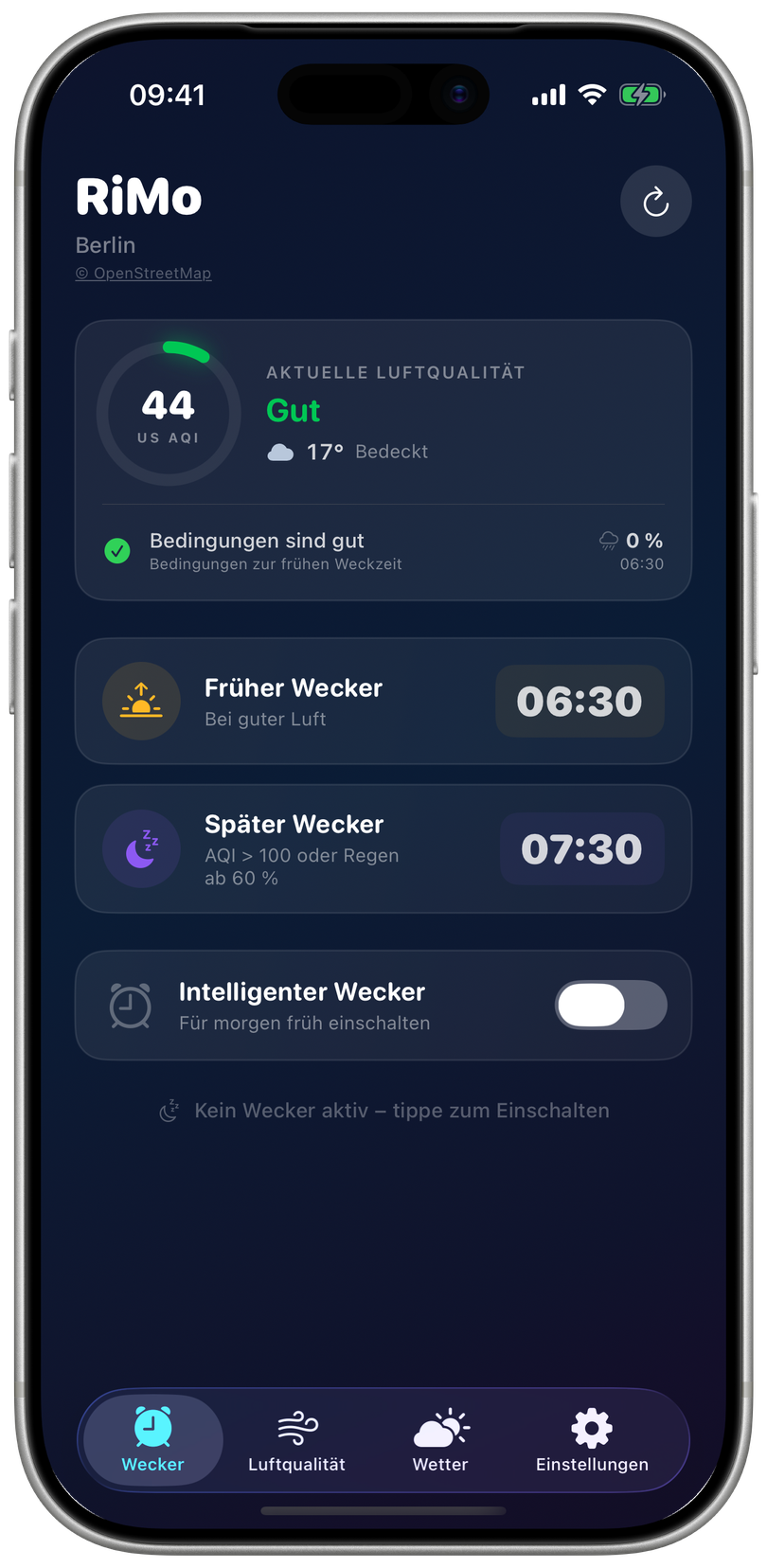
Air quality and weather at a glance. Two alarm times you set yourself. Here’s how it looks in the app.
The home screen shows air quality, weather and conditions at your early alarm time.
RiMo screenshot data: Open-Meteo · CC BY 4.0. Air data: CAMS ENSEMBLE via Open-Meteo. Unmodified values captured on 30 September 2026.
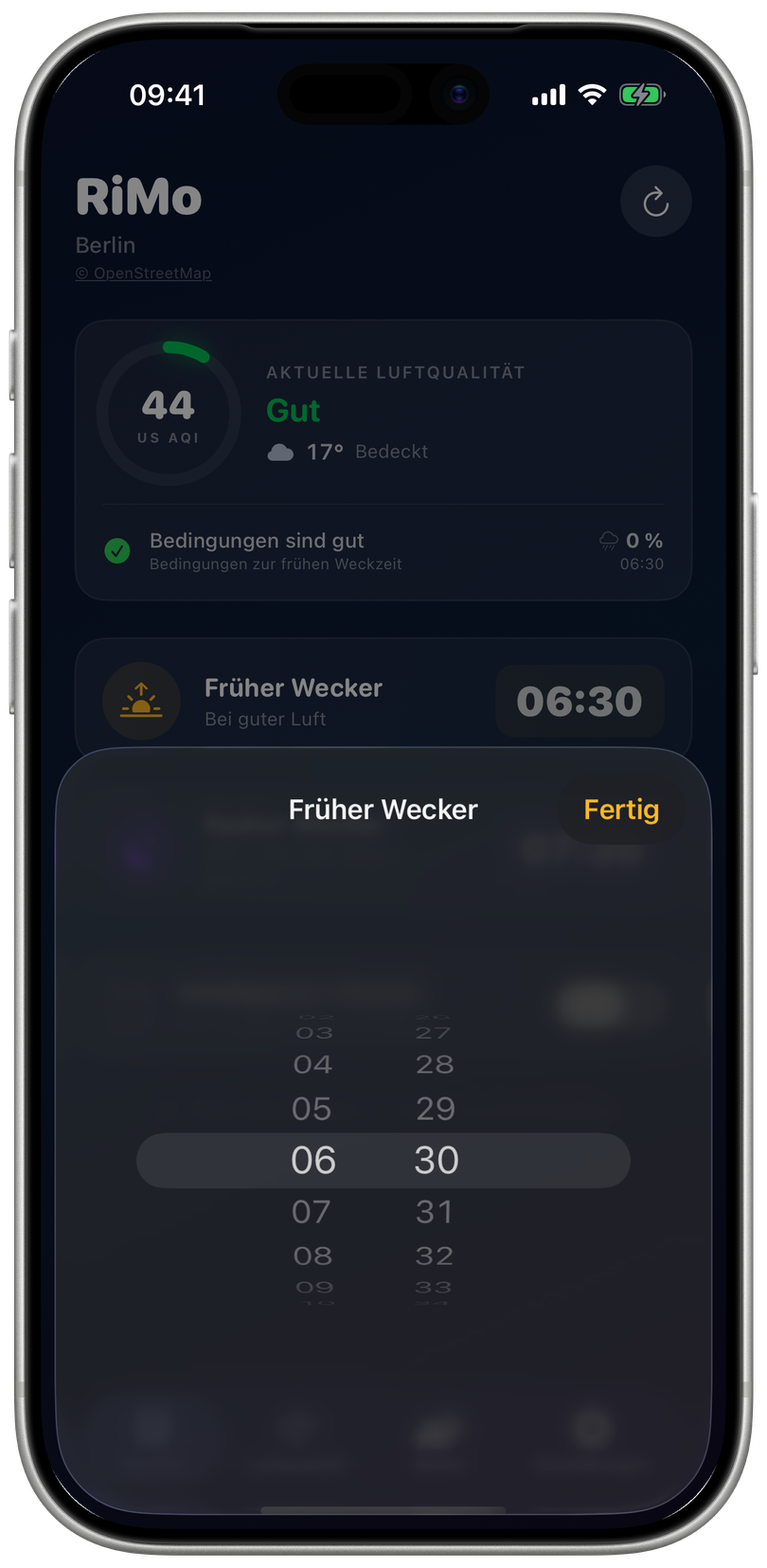
Set your early and late alarm times directly in the time picker.
RiMo screenshot data: Open-Meteo · CC BY 4.0. Air data: CAMS ENSEMBLE via Open-Meteo. Unmodified values captured on 30 September 2026.
Original screenshots of the English app, captured in the iPhone simulator. Berlin is the example location; weather and air values reflect the time of capture. The alarm is switched off in this view.
Choose a situation and see how RiMo decides between your two times.
Simplified example: 06:15 / 07:30, AQI threshold 100, rain threshold 60%. Not live weather data.
Good conditions. An early start.
At your chosen preview time, see which alarm is likely to ring. RiMo can update the decision overnight as new data arrives.
Ten sounds start quietly and gradually grow louder. Choose different sounds for early and later mornings.
Take a closer look at air quality, rainfall over time and sunrise and sunset. The history shows past alarm decisions and their reasons.
Widgets show the selected alarm time and conditions. From your preview time onwards, the RiMo card also appears on the Lock Screen.
Use your current location or select a place manually. Its coordinates are sent directly to the relevant data services to retrieve weather and air data.
Privacy in RiMoBy default, RiMo uses weather and air quality models from Open-Meteo. With your own WAQI or OpenAQ access, you can add monitoring station data.
Screenshots of the English app, captured in the iPhone simulator. Sources and licences appear next to the images and in the image and data credits.
Want to learn more about RiMo or ask about availability? Get in touch.